Solo UX/UI
End-to-End
System States
Dev Handoff
Invoice Scanning MVP
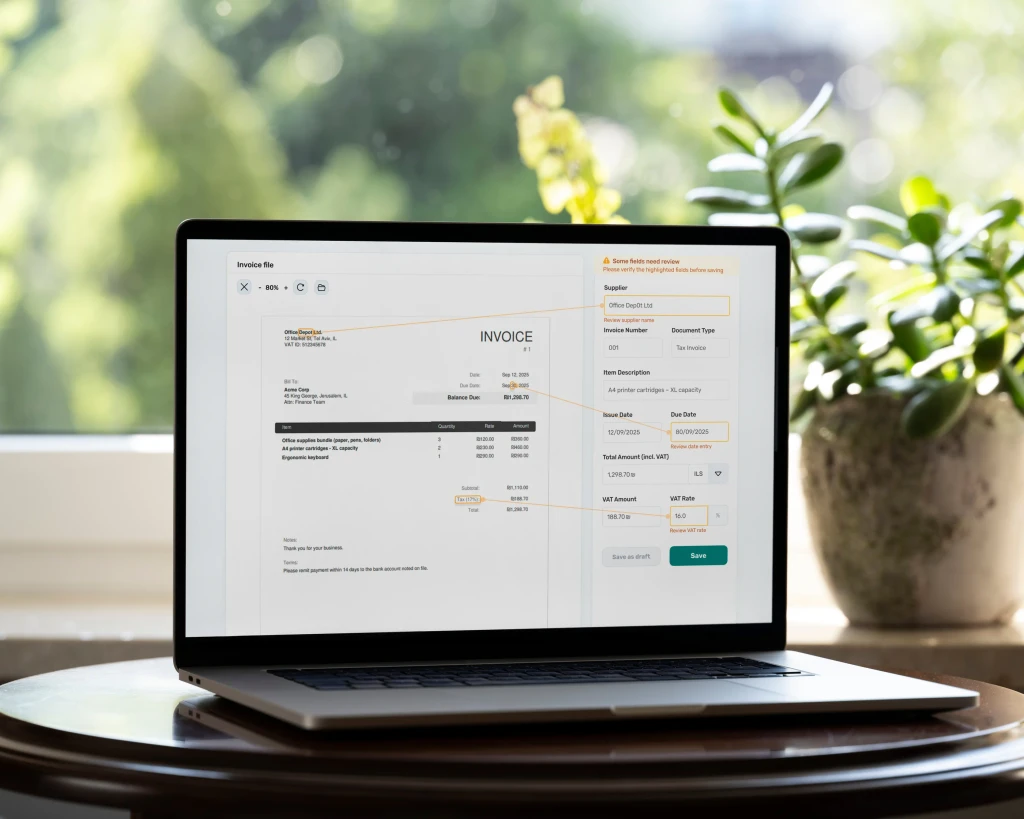
End-to-end MVP UX/UI designed to validate a backend invoice-scanning capability.
Solo UX/UI
End-to-End
System States
Dev Handoff
Invoice Scanning MVP
End-to-end MVP UX/UI designed to validate a backend invoice-scanning capability.
Solo UX/UI
End-to-End
System States
Dev Handoff
Invoice Scanning MVP
End-to-end MVP UX/UI designed to validate a backend invoice-scanning capability.
Project Overview
Turning invoice extraction into a clear review workflow
This MVP focused on the human review experience around server-side invoice extraction for enterprise teams. Because extracted fields could be accurate, incomplete, or incorrect, the workflow had to make review fast, manual correction intuitive, and validation feedback immediate. I designed the layer that helped users identify issues, trace flagged fields back to their source on the invoice, correct data efficiently, and save only when the information was ready - with clear warnings, errors, and system feedback throughout the flow.
Project Overview
Turning invoice extraction into a clear review workflow
This MVP focused on the human review experience around server-side invoice extraction for enterprise teams. Because extracted fields could be accurate, incomplete, or incorrect, the workflow had to make review fast, manual correction intuitive, and validation feedback immediate. I designed the layer that helped users identify issues, trace flagged fields back to their source on the invoice, correct data efficiently, and save only when the information was ready - with clear warnings, errors, and system feedback throughout the flow.
Project Overview
Turning invoice extraction into a clear review workflow
This MVP focused on the human review experience around server-side invoice extraction for enterprise teams. Because extracted fields could be accurate, incomplete, or incorrect, the workflow had to make review fast, manual correction intuitive, and validation feedback immediate. I designed the layer that helped users identify issues, trace flagged fields back to their source on the invoice, correct data efficiently, and save only when the information was ready - with clear warnings, errors, and system feedback throughout the flow.
My Role
1
Defined MVP requirements based on research and priorities, validating feasibility with the backend engineer.
2
Mapped the MVP flow: upload → processing → results → review/correct → save, including key edge cases.
3
Created wireframes, then designed high-fidelity UI for all MVP screens, ensuring clarity and consistency end-to-end.
4
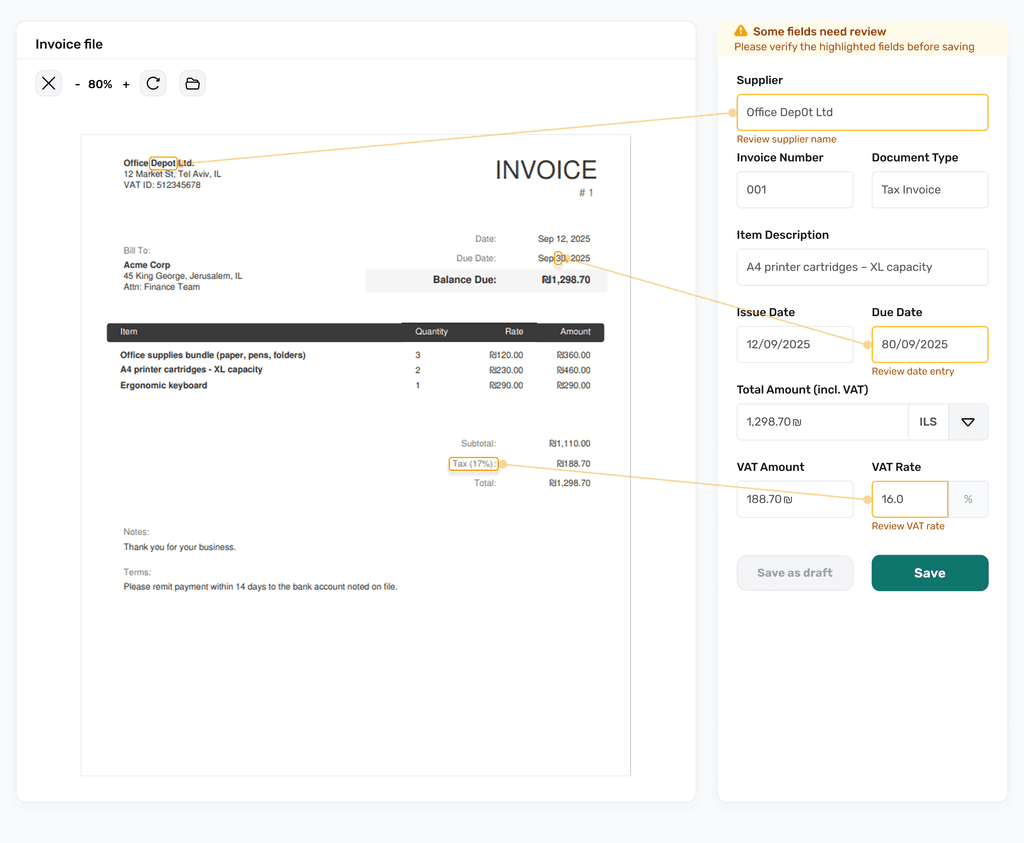
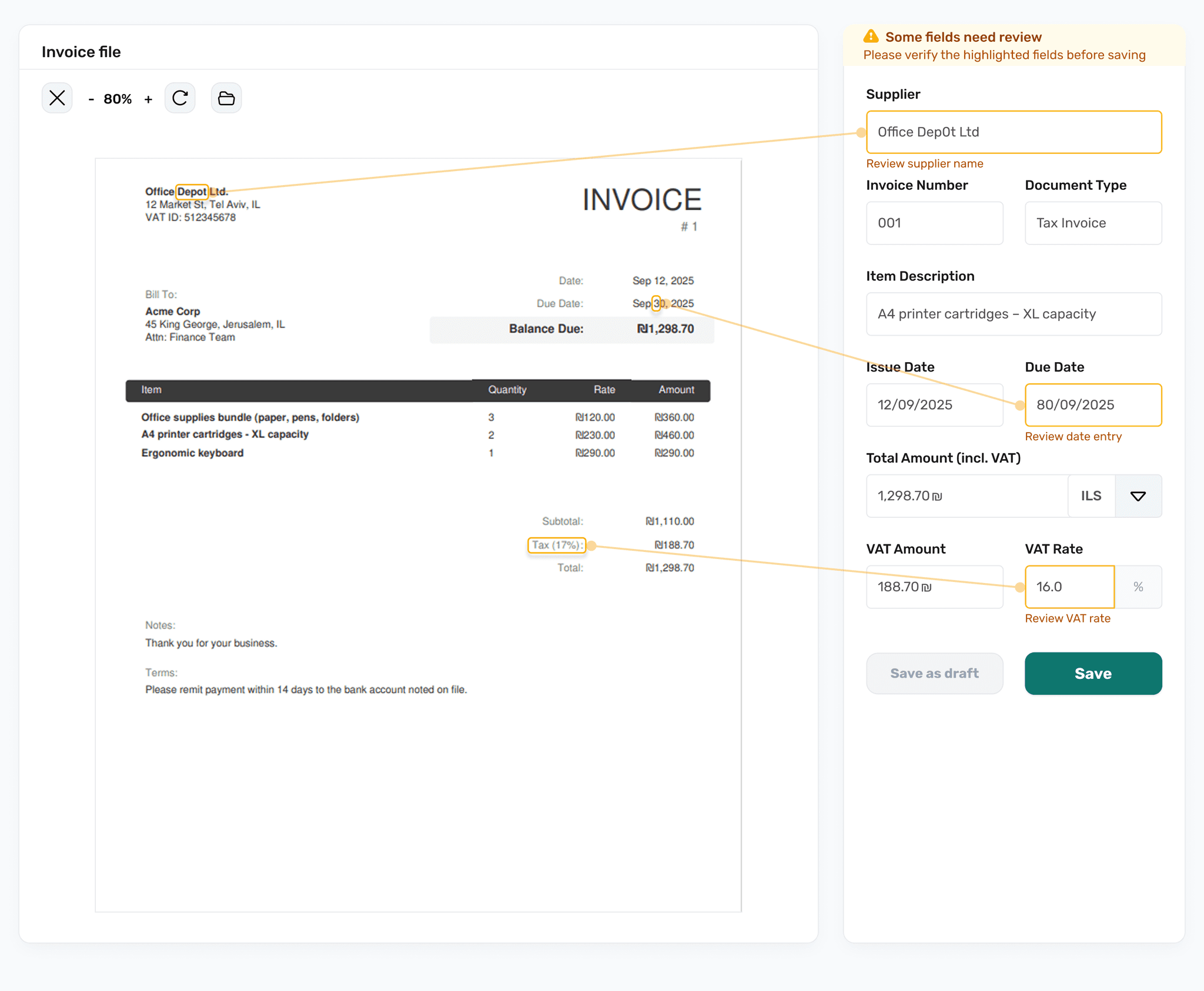
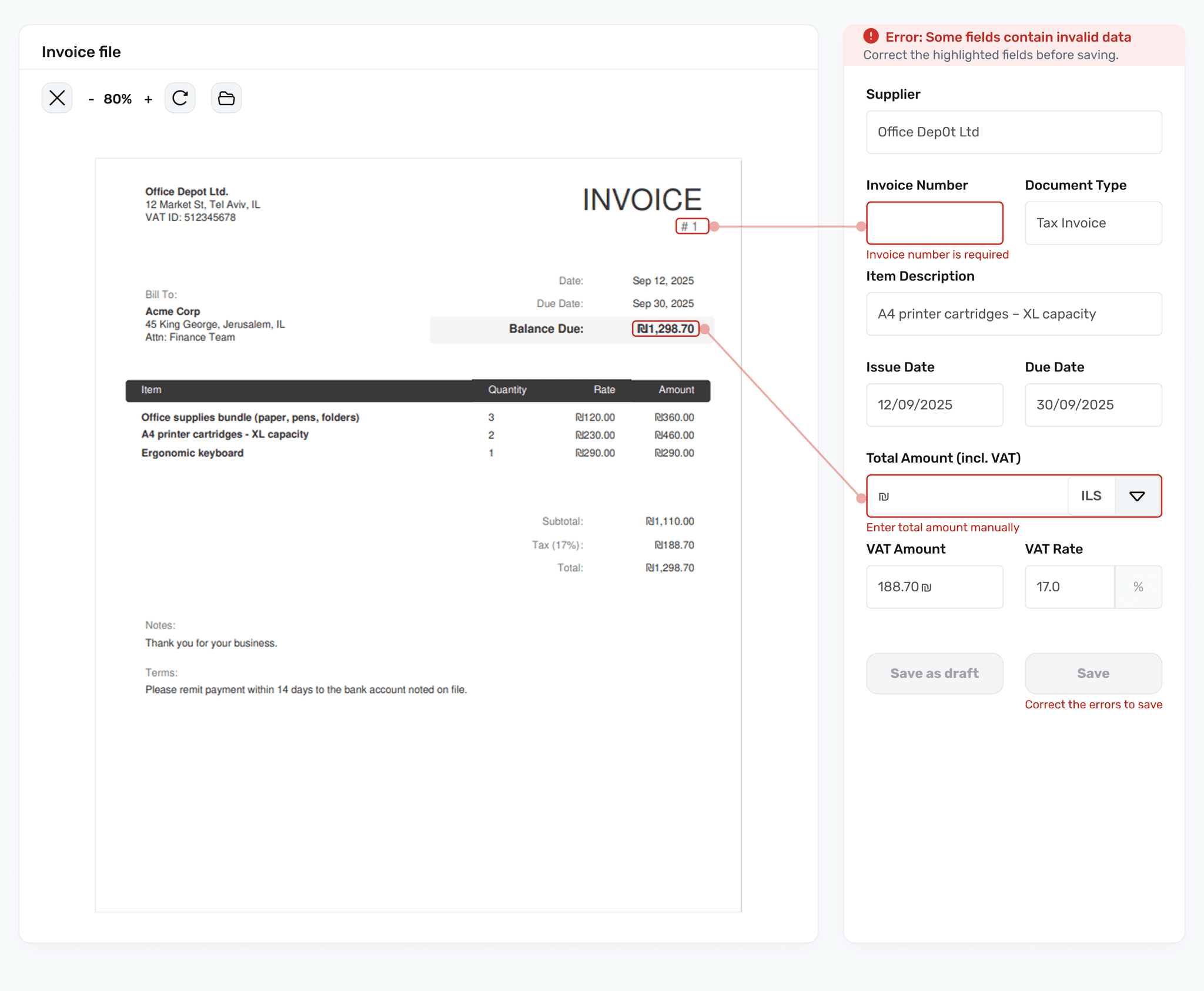
Designed a key UX feature: visual linking from flagged fields to their exact invoice source for faster correction.
5
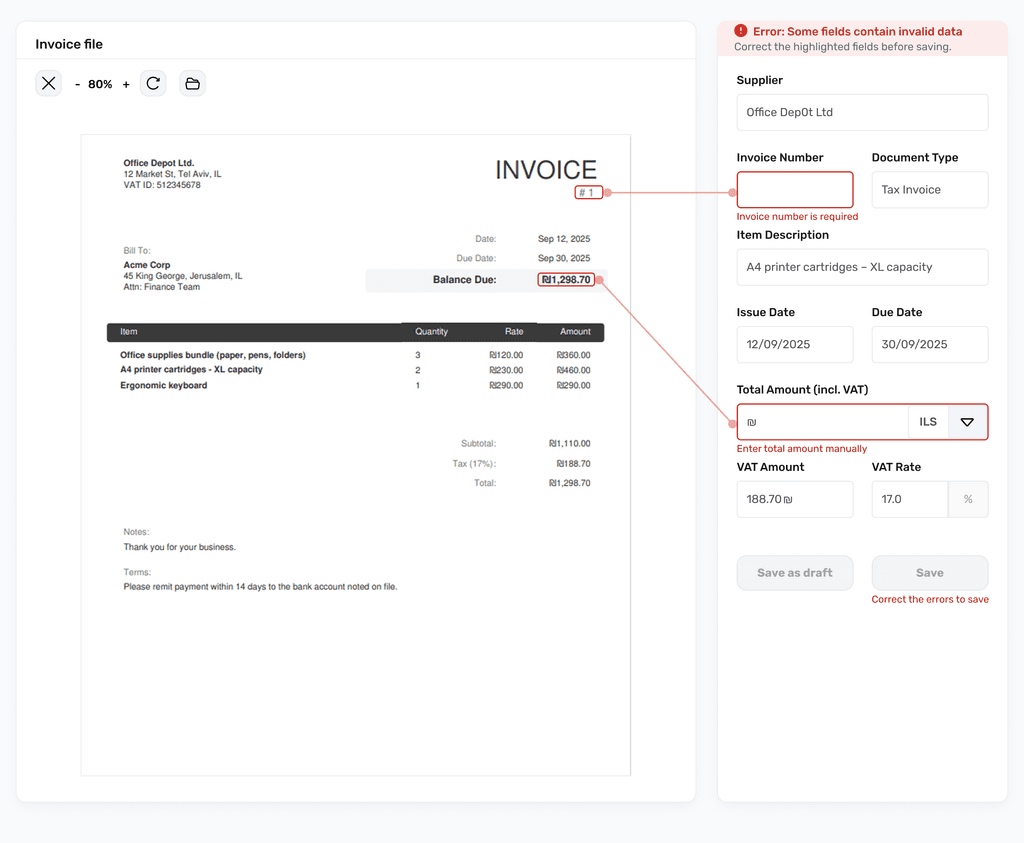
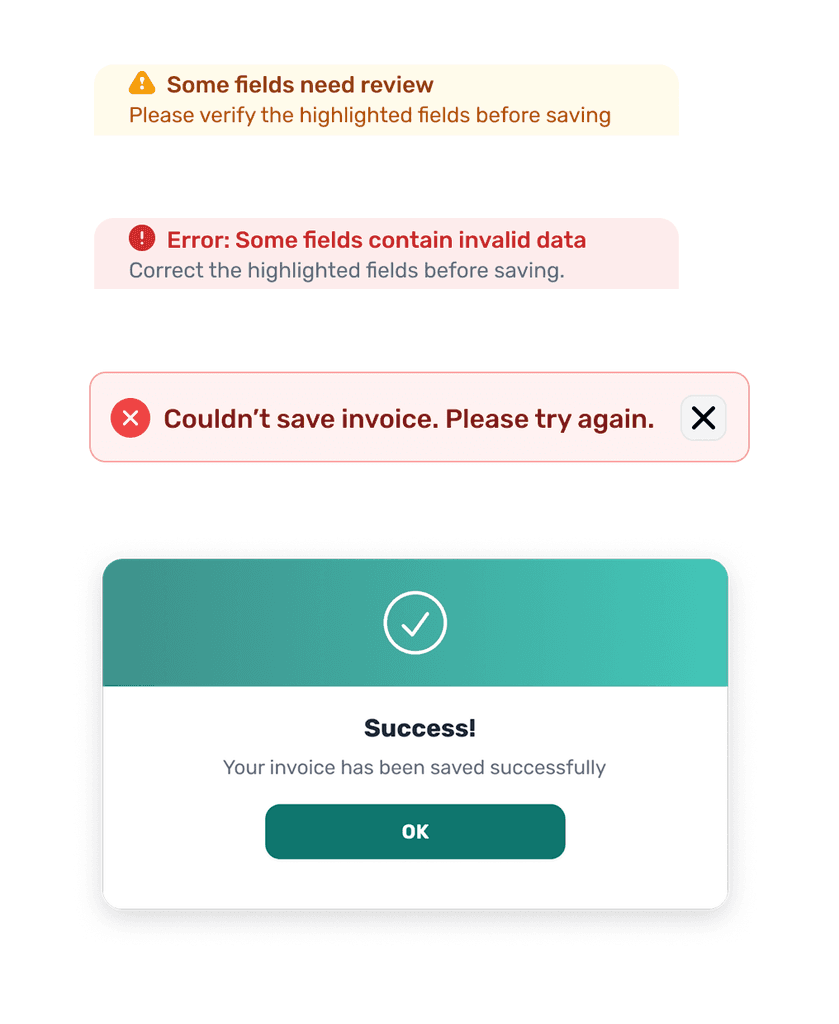
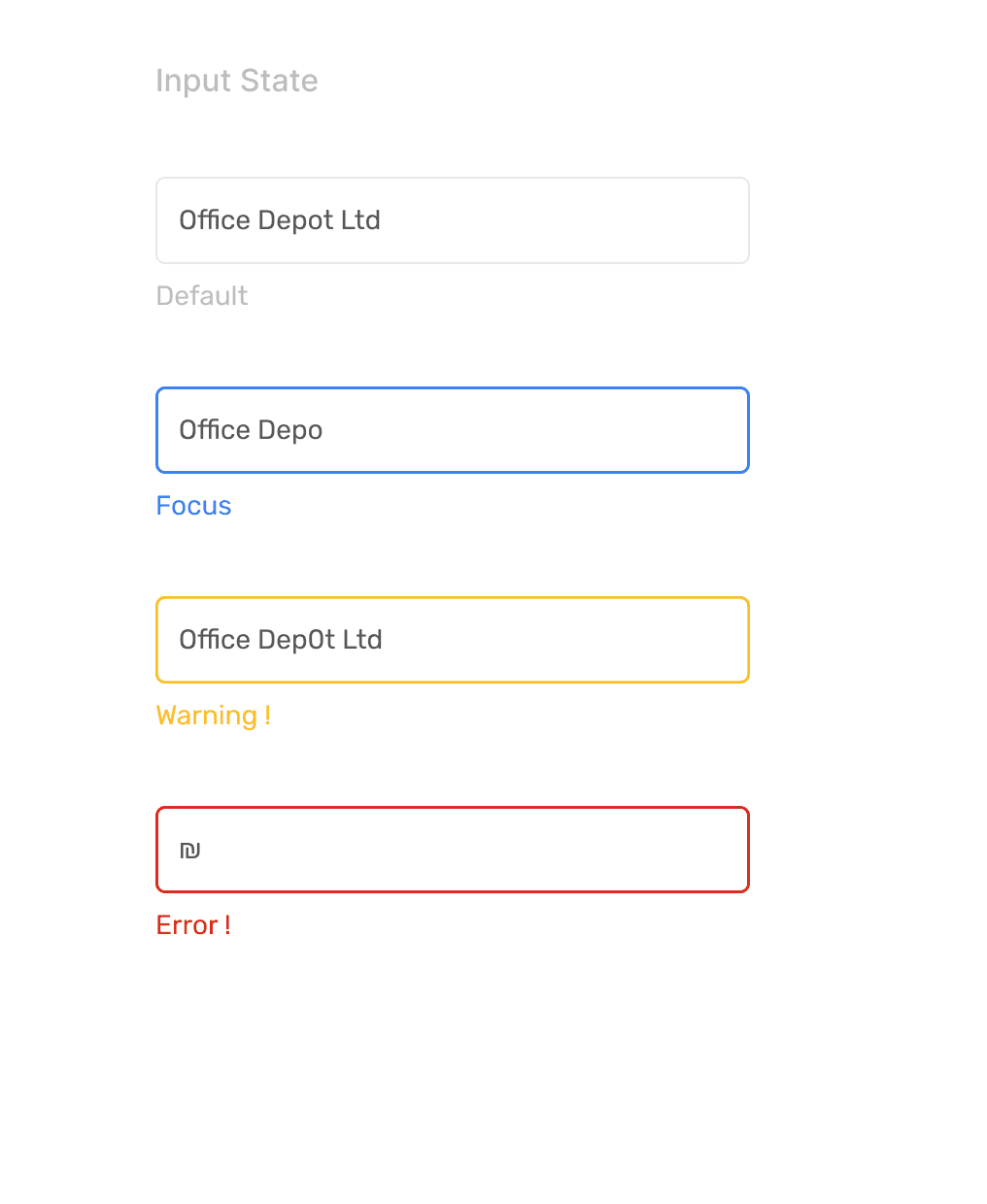
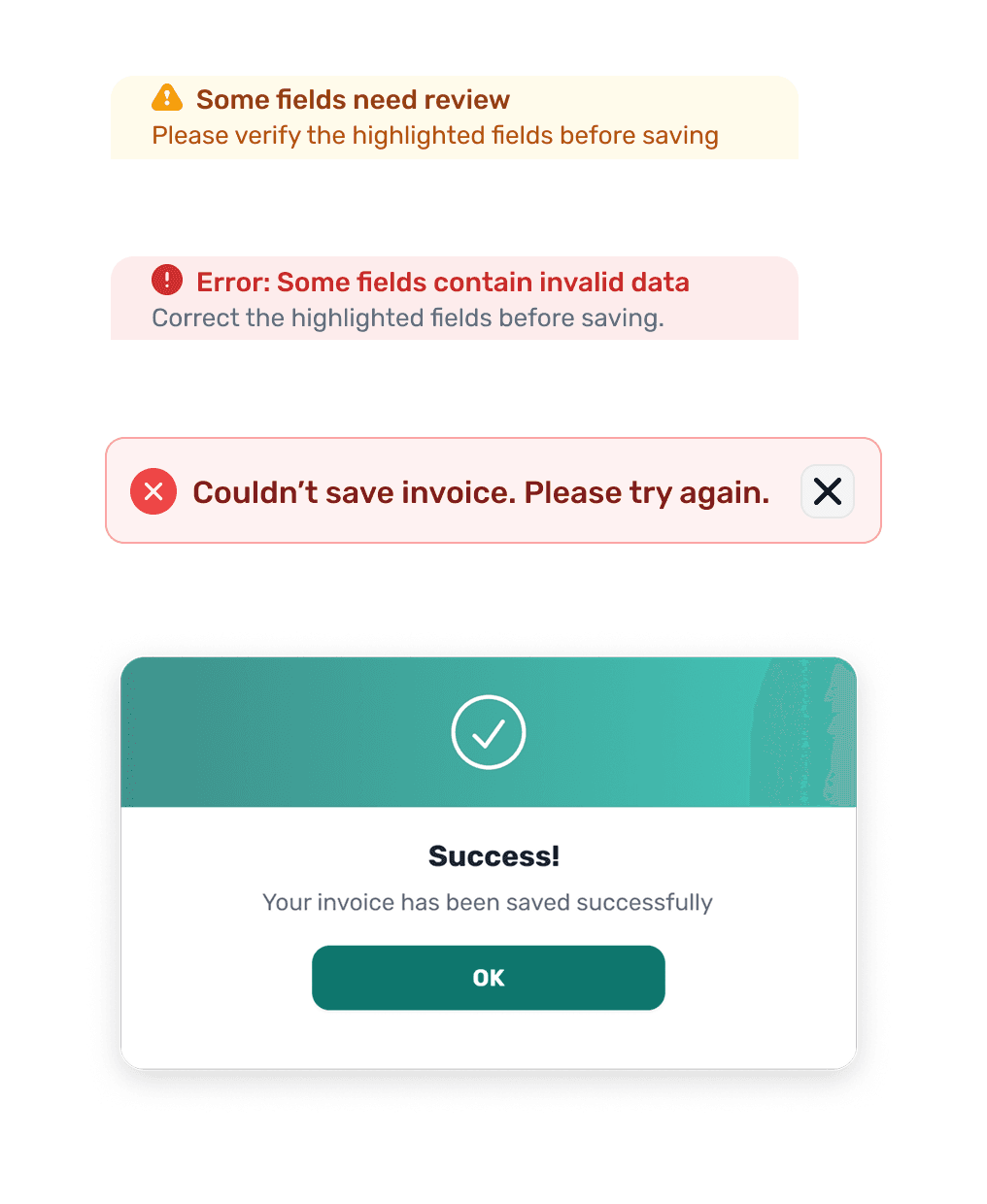
Designed system states and field validation feedback: success, warning, error, system errors, plus clear toasts.
6
Delivered a dev-ready handoff using Figma Variables (tokens): naming, specs, spacing, and component variants.
My Role
1
Defined MVP requirements based on research and priorities, validating feasibility with the backend engineer.
2
Mapped the MVP flow: upload → processing → results → review/correct → save, including key edge cases.
3
Created wireframes, then designed high-fidelity UI for all MVP screens, ensuring clarity and consistency end-to-end.
4
Designed a key UX feature: visual linking from flagged fields to their exact invoice source for faster correction.
5
Designed system states and field validation feedback: success, warning, error, system errors, plus clear toasts.
6
Delivered a dev-ready handoff using Figma Variables (tokens): naming, specs, spacing, and component variants.
My Role
1
Defined MVP requirements based on research and priorities, validating feasibility with the backend engineer.
2
Mapped the MVP flow: upload → processing → results → review/correct → save, including key edge cases.
3
Created wireframes, then designed high-fidelity UI for all MVP screens, ensuring clarity and consistency end-to-end.
4
Designed a key UX feature: visual linking from flagged fields to their exact invoice source for faster correction.
5
Designed system states and field validation feedback: success, warning, error, system errors, plus clear toasts.
6
Delivered a dev-ready handoff using Figma Variables (tokens): naming, specs, spacing, and component variants.
Key UX Solution
Designed to make review and correction fast and effortless. Visual linking connects each flagged field to its exact source on the invoice - so users can spot issues instantly and fix them without searching.
Key UX Solution
Designed to make review and correction fast and effortless. Visual linking connects each flagged field to its exact source on the invoice - so users can spot issues instantly and fix them without searching.
Key UX Solution
Designed to make review and correction fast and effortless. Visual linking connects each flagged field to its exact source on the invoice - so users can spot issues instantly and fix them without searching.
MVP Screens
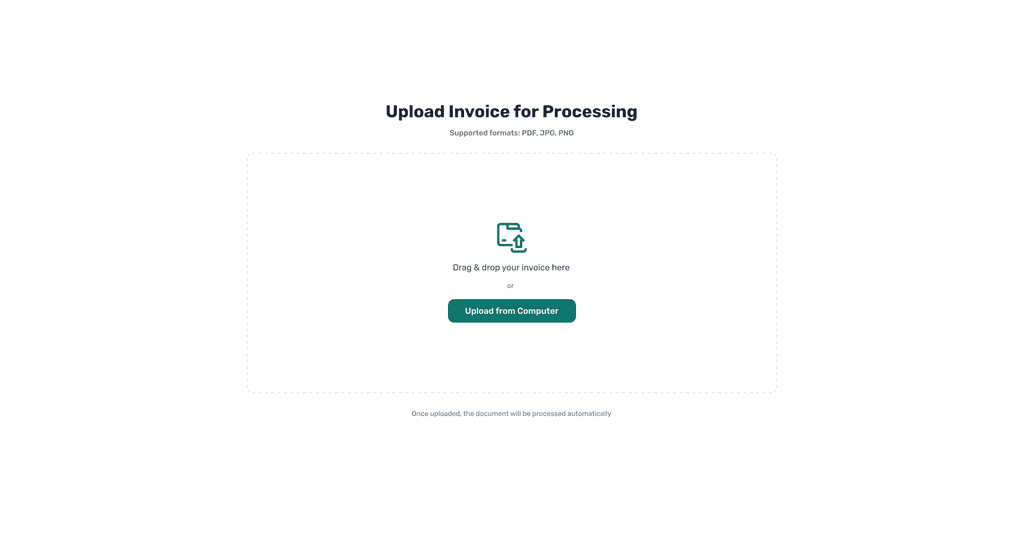
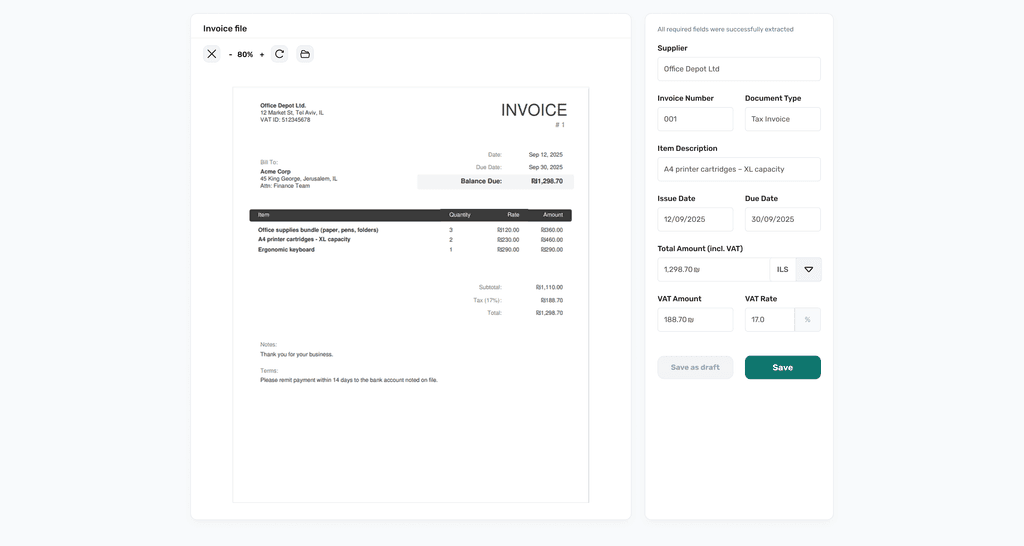
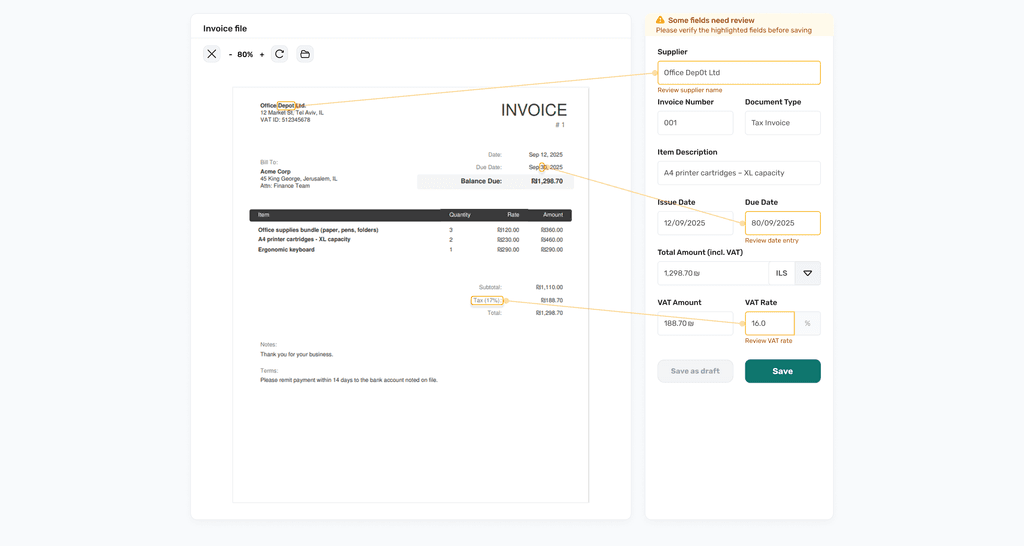
Key screens across upload, loading, review/correction, and save feedback.
Upload

Skeleton Loader
Success State
Warning State
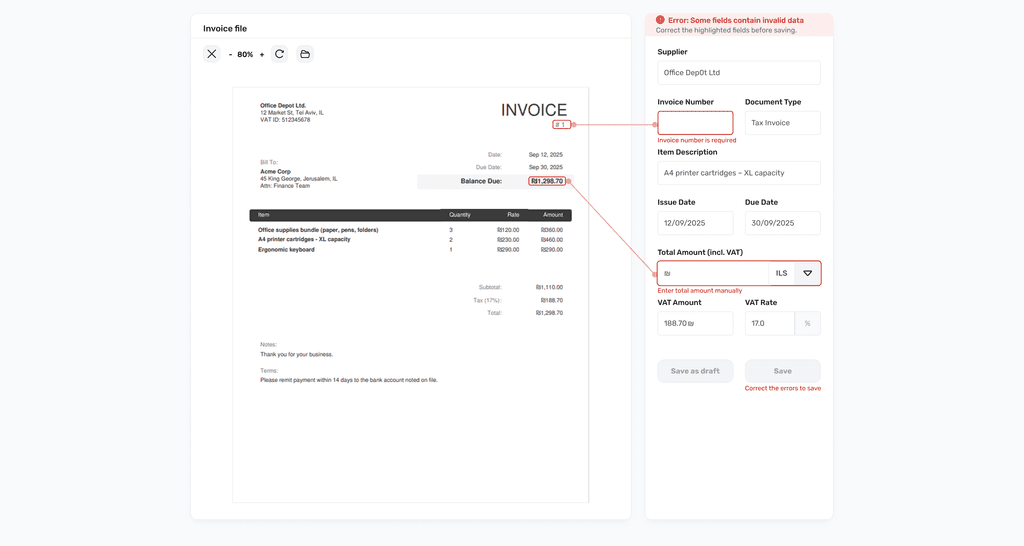
Error State
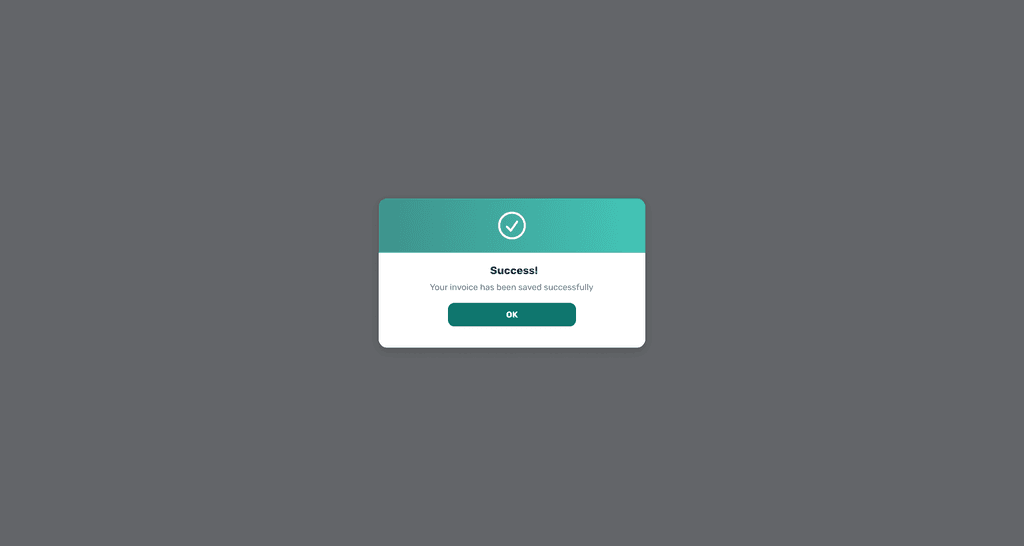
Success Message
MVP Screens
Key screens across upload, loading, review/correction, and save feedback.
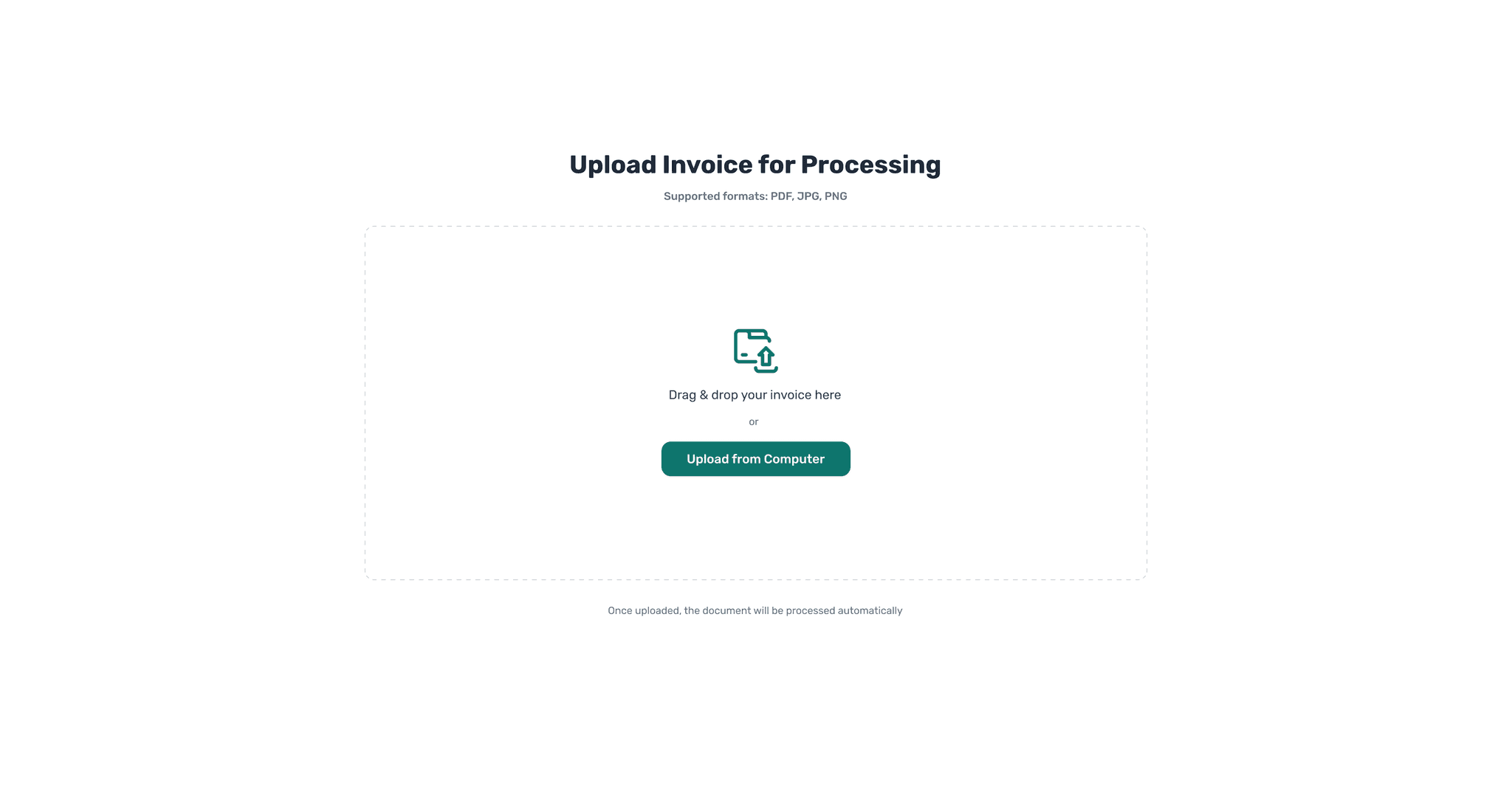
Upload
Skeleton Loader
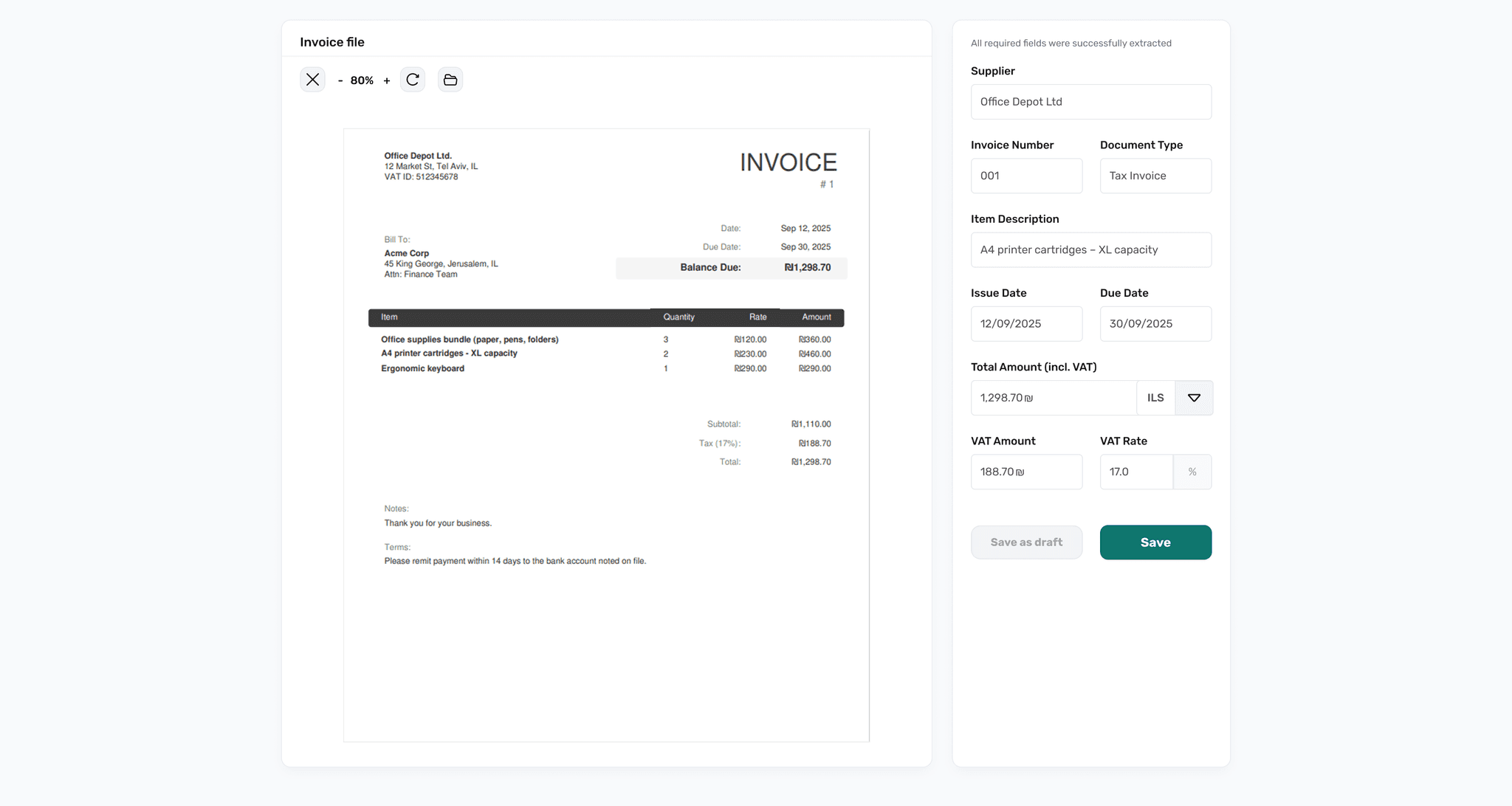
Success State
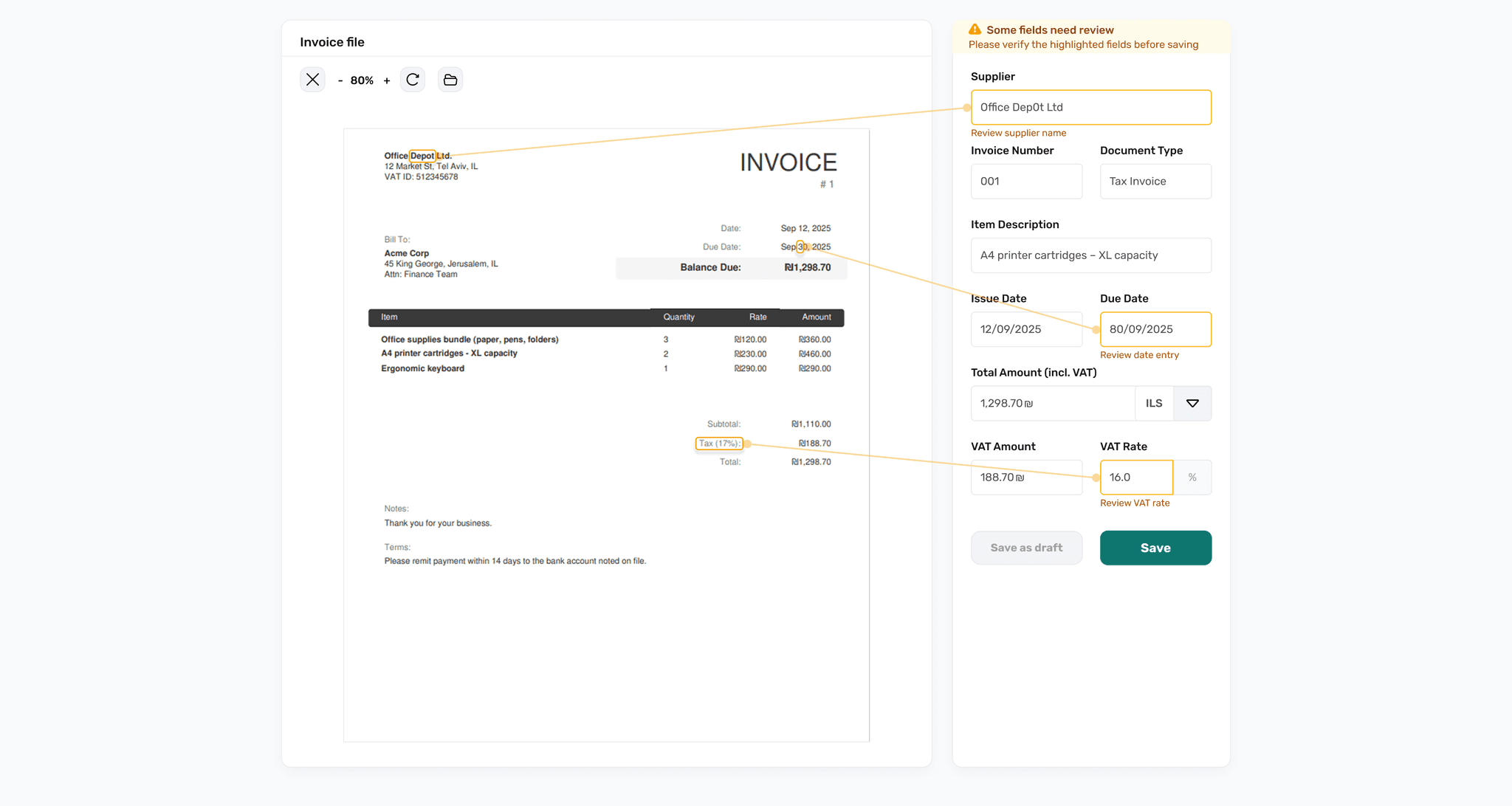
Warning State
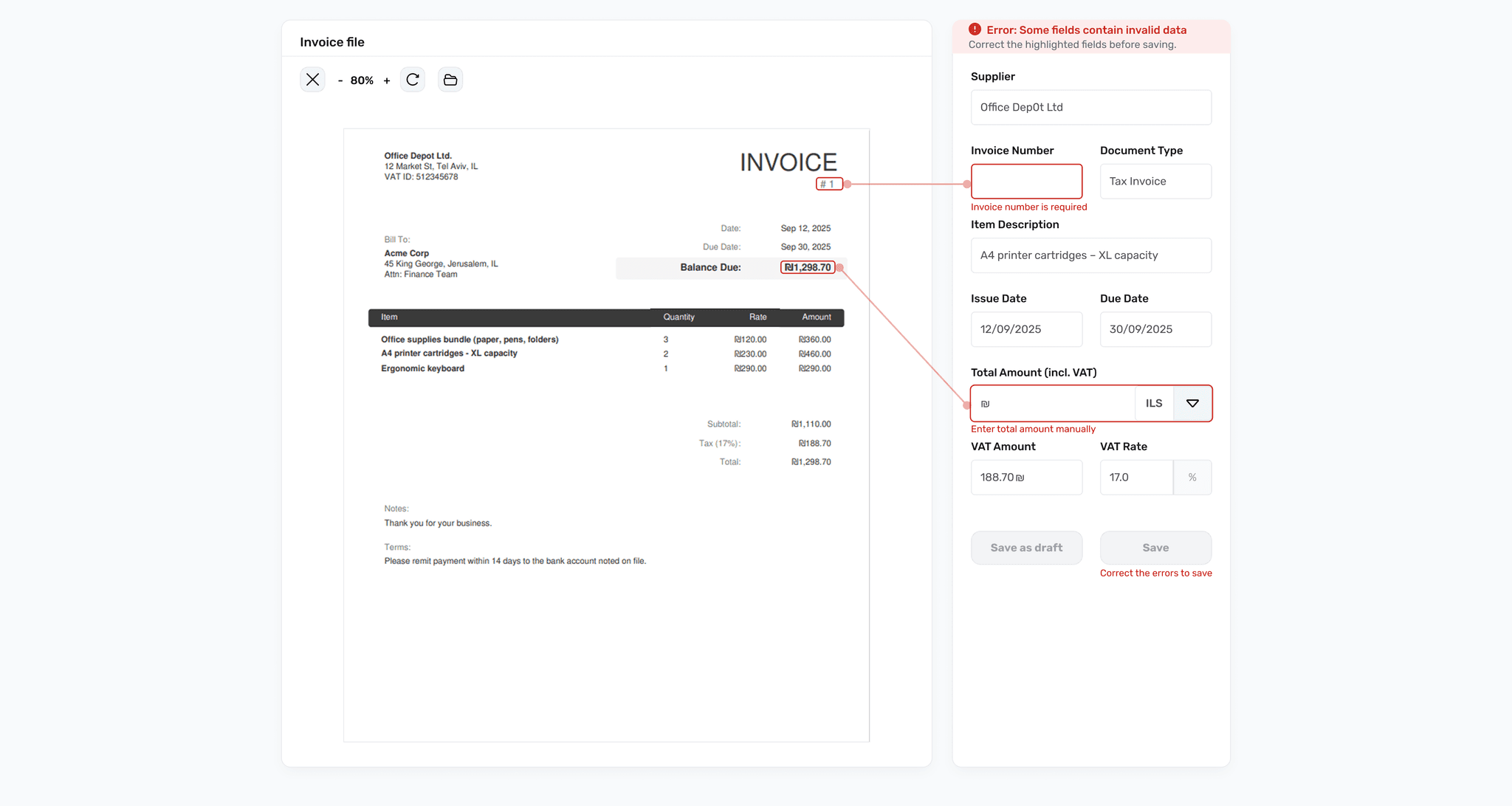
Error State
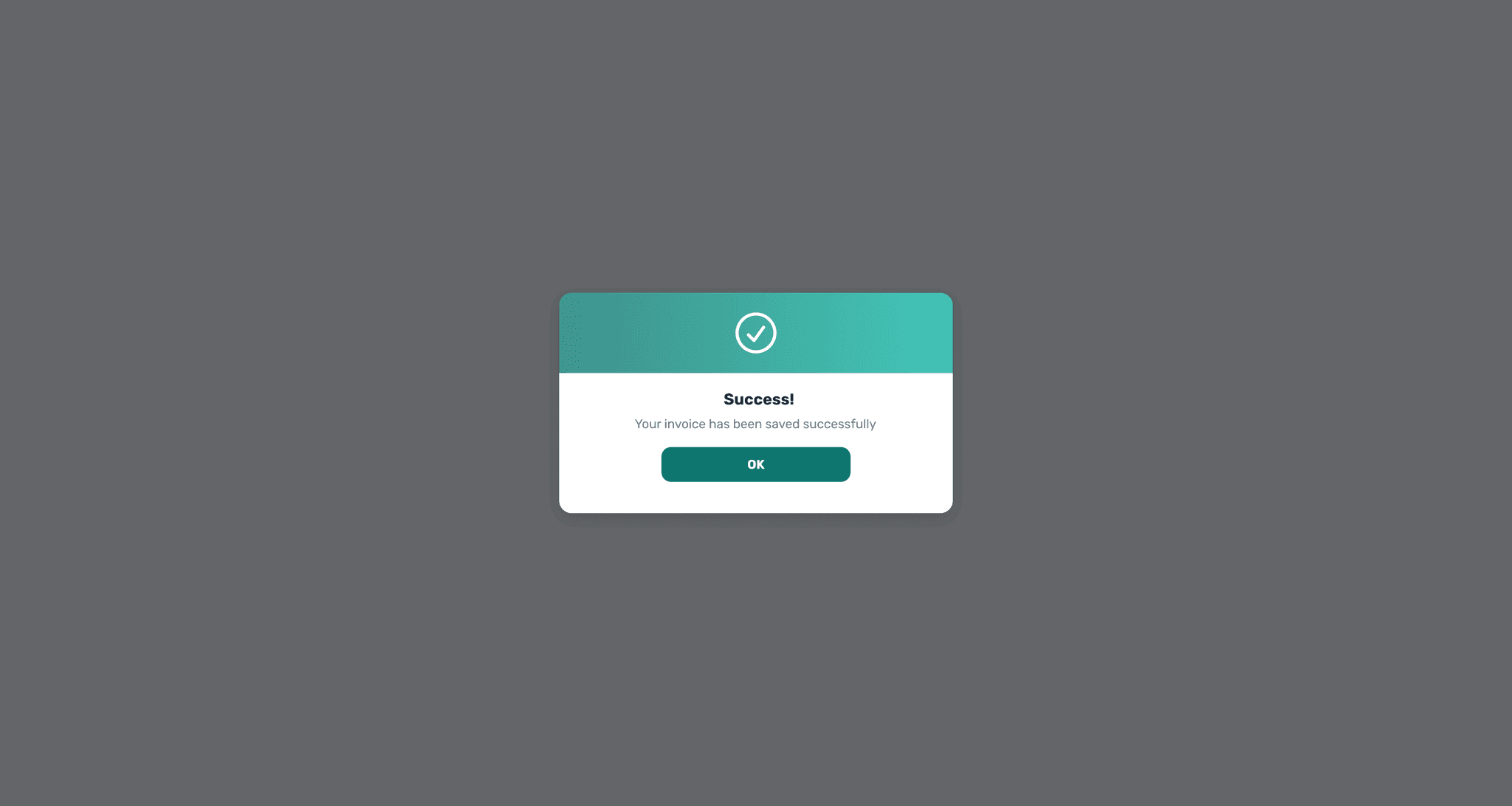
Success Message
MVP Screens
Key screens across upload, loading, review/correction, and save feedback.
Upload
Skeleton Loader
Success State
Warning State
Error State
Success Message
UI Guideline (Snapshot)
A lightweight component set to keep states and feedback consistent across the MVP.
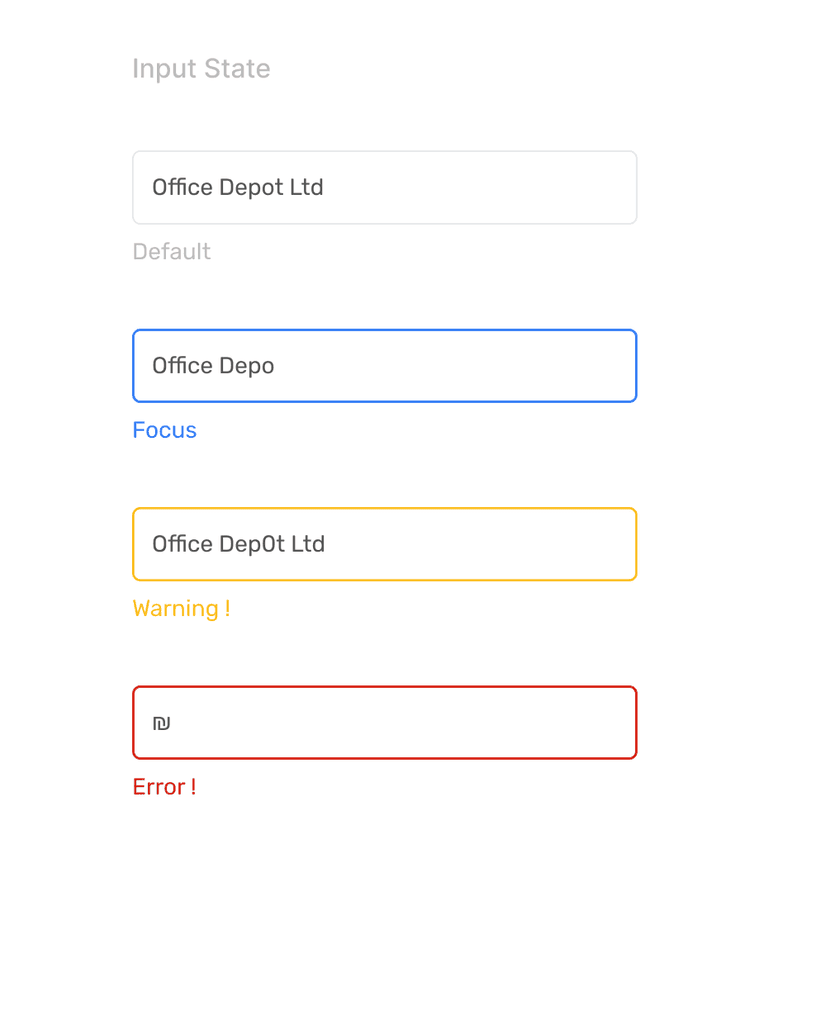
UI Guideline (Snapshot)
A lightweight component set to keep states and feedback consistent across the MVP.
UI Guideline (Snapshot)
A lightweight component set to keep states and feedback consistent across the MVP.